Follow these steps to create a new PDF IETM extraction file in LEAD:
1.Select PDF on the IETM Extraction screen and then Next.
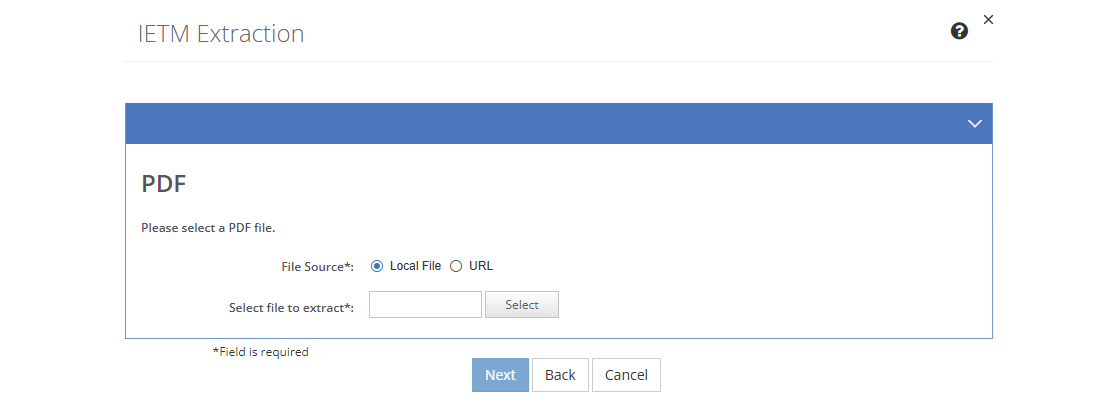
Figure 326: IETM Extraction - PDF Screen
2.Select a local file to extract, or select URL to enter a network or internet location of the PDF. Select Remove, if you need to select a different file.
3.Select Next to continue, or select Back to return to the IETM Extraction screen, or select Cancel to return to the list of IETMs.
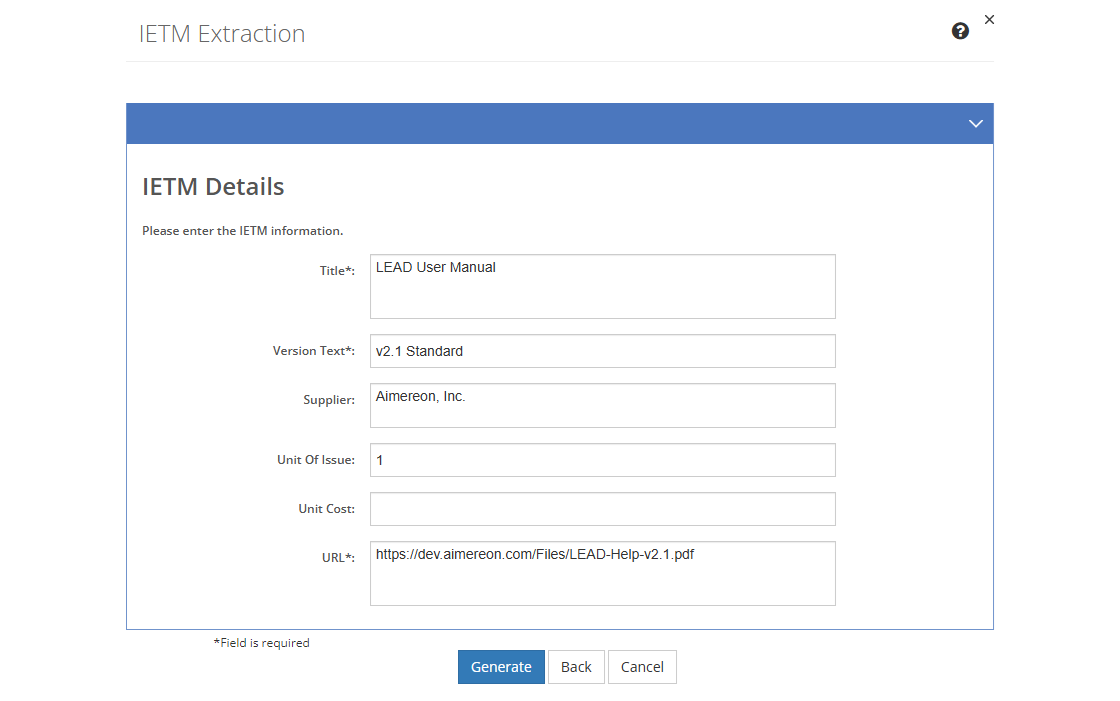
Figure 327: IETM Extraction - PDF IETM Details Screen
4.Complete and edit the fields that describe the IETM as needed.
Title
The Title of the IETM from the source file of the IETM that you can edit, if needed.
Version Text
The Version Text of the resource. Unlike the Version field, this field is user editable, so you can enter the version number or text of the resource, if applicable.
Supplier
The Supplier of the resource, that is where you can buy it. Provide as much detail as is necessary to help someone order or request the resource from the supplier.
Unit of Issue
The Unit of Issue indicates how many items of the resource come together in a box or a pack. This helps determine how many resources need to be bought.
Unit Cost
The Unit Cost is the cost of buying one unit (e.g., one box of pencils, or a pack of paper) of the resource.
URL
The location or URL of the IETM or IETM Viewer that will enable you to view the IETM from within LEAD. This could be a server location or an internet address.
5.Once you're finished editing the information, select Generate to create the IETM extraction file, or select Cancel to close the pop-up and return to the IETMs screen.
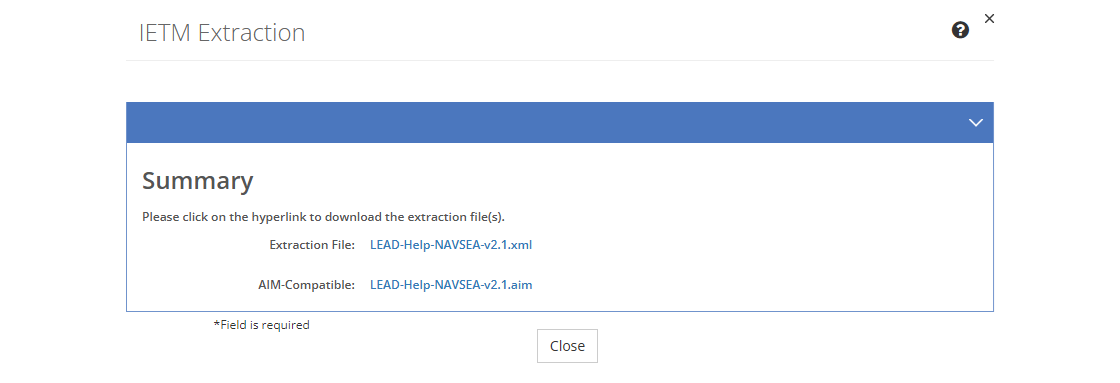
Figure 328: IETM Extraction - Summary Screen
6.Select a hyperlink to download the IETM extraction file(s) you need:
a.Extraction File - to create the IETM in any instance of LEAD that is at least version 2.2 or higher.
b.AIM-Compatible - to create the IETM in AIM, or in LEAD.
7.Select Close to return to the IETMs screen.